How to read a script while recording on iPhone
Trying to remember a script and deliver it naturally can turn a short video into an afternoon of retakes. An iPhone teleprompter keeps your words near the camera while you record. Here is a practical setup for your first Script Sight take.
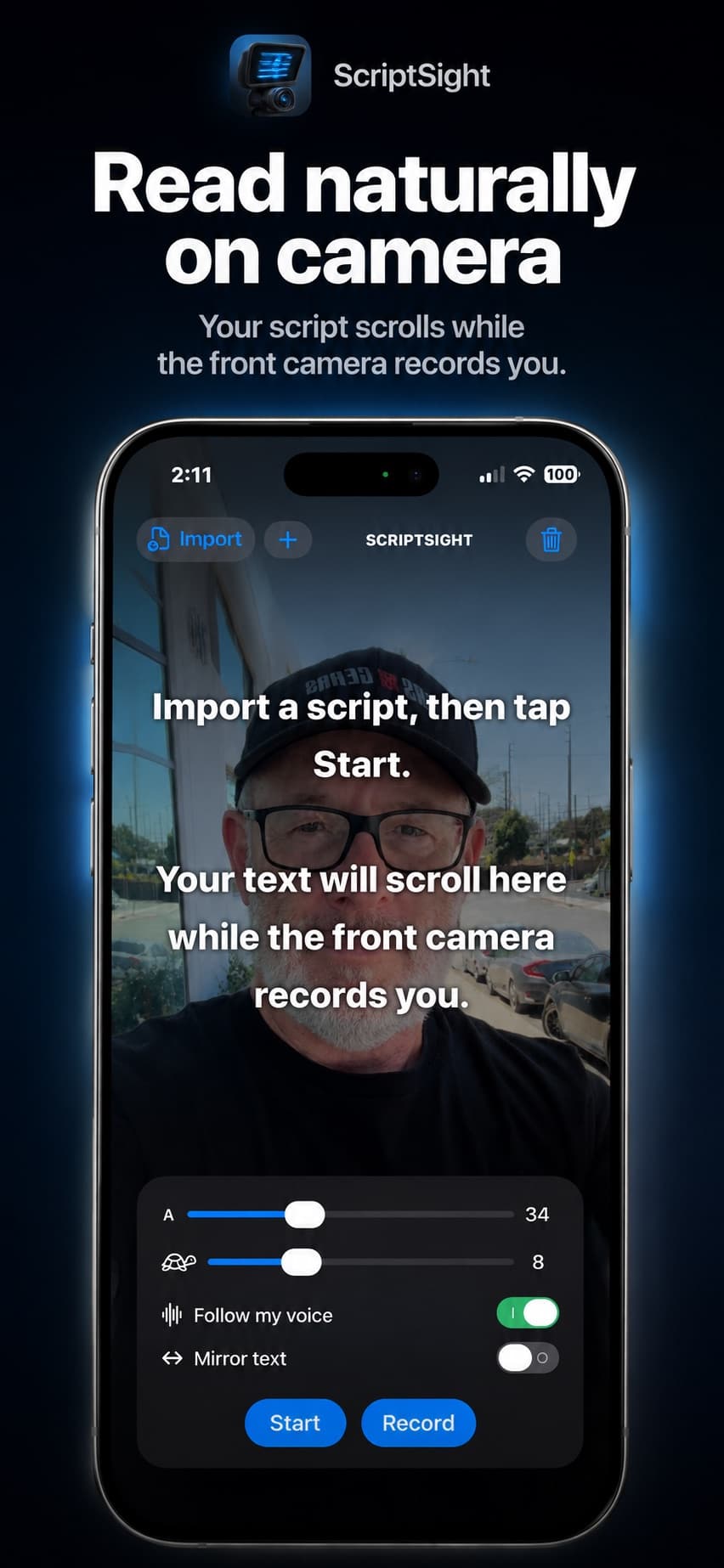
Prepare a script you can say out loud
Write in short sentences. Read the draft aloud once and replace any phrase you would never say in a conversation. Put a paragraph break where you want a breath or a change of thought. For a product demonstration, separate the spoken lines from your preparation notes so you do not accidentally read a camera direction.
Set the phone before you set the pace
Position your iPhone near eye level on a stable support. Face a light source and check the background. Open or import your script, then adjust the font until you can read comfortably from your filming position. Extremely large text can leave too few words visible; tiny text makes you squint. Start with a size that lets you read a complete phrase.
Choose voice follow or a fixed scroll speed
Use Follow My Voice if you want the script to move with your delivery. Allow the microphone and speech-recognition permissions it needs. Alternatively, adjust the scroll speed while rehearsing the opening paragraph. A short rehearsal is more useful than guessing a number and trying to keep up once the camera starts.
Record a test before the full take
Use the front camera and choose portrait or landscape for the finished video. Record a few lines, stop, and check the saved clip in Photos. Listen to the audio and watch your eyes. If you are visibly scanning across the screen, try adjusting your distance and font size. Record the full script once the framing and delivery work together.