Use your iPhone with a DSLR teleprompter rig
Your iPhone can provide the script display while a separate DSLR or mirrorless camera records the video. Script Sight includes Mirror Text for compatible reflective teleprompter rigs. The rig and camera are separate hardware; check phone fit and lens clearance before buying a rig.
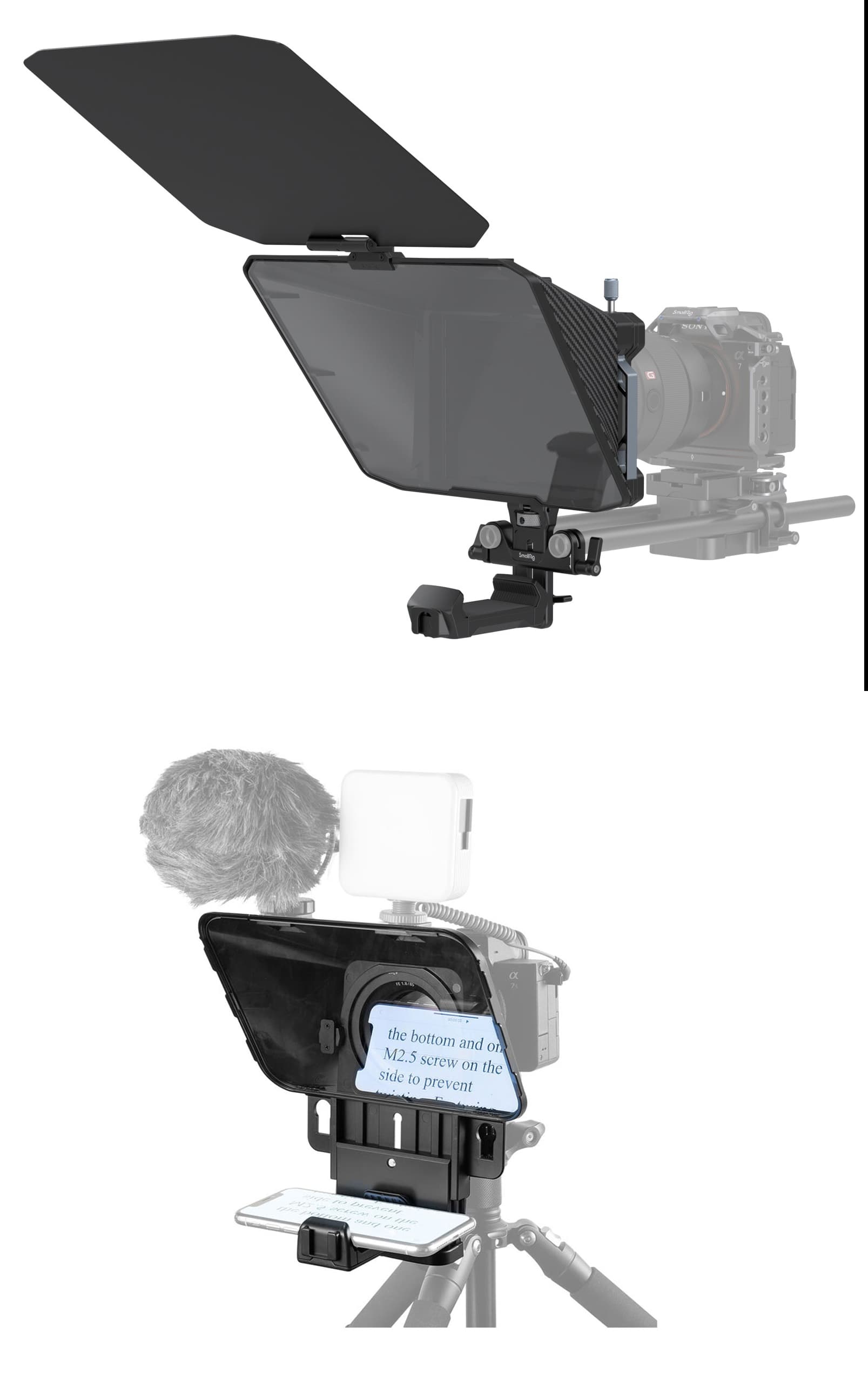
Mount the hardware securely
Follow the rig manufacturer’s instructions to attach the camera behind the glass and secure the iPhone in the phone tray. Check that the support can carry the complete setup. Position the phone screen toward the glass and confirm that the lens has a clear view through it.
Turn on Mirror Text
A reflection reverses the phone display. Mirror Text reverses the script first so the reflected words read correctly from your presenting position. Check the reflection from where you will stand, rather than judging the words directly on the phone screen. When reading straight from the phone without glass, use normal text.
Check the image through your actual lens
Look at the camera’s recorded framing for dark corners, reflections or an edge of the rig entering the picture. Adjust the setup using the hardware instructions. Set the phone brightness and text size so the reflected script is comfortable to read at your chosen distance.
Choose your scrolling and recording setup
Rehearse with adjustable scrolling or Follow My Voice. Voice follow uses the iPhone’s microphone, so test whether it can hear you from the mounted position. Record video and production audio with your camera setup. Review a short camera clip for focus, audio and eye contact before recording the complete script.